
Short answer: A scheduling tool lets customers book a time with you. Before you pay, ask 12 questions, make 6 test bookings, and try it for 7 days.
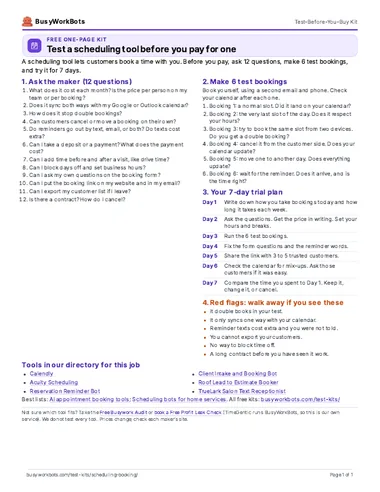
Take it with you (PDF)
The same kit on one page. Free. No email needed.
1. Ask the maker: 12 questions
Send these to two or three makers. Ask for the answers in writing. They are neutral: they do not name any tool.
- What does it cost each month? Is the price per person on my team or per booking?
- Does it sync both ways with my Google or Outlook calendar?
- How does it stop double bookings?
- Can customers cancel or move a booking on their own?
- Do reminders go out by text, email, or both? Do texts cost extra?
- Can I take a deposit or a payment? What does the payment cost?
- Can I add time before and after a visit, like drive time?
- Can I block days off and set business hours?
- Can I ask my own questions on the booking form?
- Can I put the booking link on my website and in my email?
- Can I export my customer list if I leave?
- Is there a contract? How do I cancel?
2. Make 6 test bookings
Book yourself, using a second email and phone. Check your calendar after each one.
- Booking 1: a normal slot. Did it land on your calendar?
- Booking 2: the very last slot of the day. Does it respect your hours?
- Booking 3: try to book the same slot from two devices. Do you get a double booking?
- Booking 4: cancel it from the customer side. Does your calendar update?
- Booking 5: move one to another day. Does everything update?
- Booking 6: wait for the reminder. Does it arrive, and is the time right?
3. Your 7-day trial plan
- Day 1Write down how you take bookings today and how long it takes each week.
- Day 2Ask the questions. Get the price in writing. Set your hours and breaks.
- Day 3Run the 6 test bookings.
- Day 4Fix the form questions and the reminder words.
- Day 5Share the link with 3 to 5 trusted customers.
- Day 6Check the calendar for mix-ups. Ask those customers if it was easy.
- Day 7Compare the time you spent to Day 1. Keep it, change it, or cancel.
4. Red flags: walk away if you see these
- It double books in your test.
- It only syncs one way with your calendar.
- Reminder texts cost extra and you were not told.
- You cannot export your customers.
- No way to block time off.
- A long contract before you have seen it work.
Tools in our directory for this job
These are the listings that match this job. We do not test every tool, and the order is not a ranking. Prices and hours come from each listing and its source.
- Hours not stated
Calendly
Booking link that finds a time and sends reminders.
Price: Standard $10/seat/mo; Teams $16/seat/mo (billed yearly); a limited free plan is also listedSetup: EasySoftware or service
Source: calendly.com/pricing
- Hours not stated
Acuity Scheduling
Booking page with intake forms, payments, and reminders.
Price: From $16/mo billed yearlySetup: EasySoftware or service
Source: acuityscheduling.com/signup.php
- Hours not stated
Reservation Reminder Bot
Confirms bookings on WhatsApp, reminds guests a day before, and logs changes.
Price: n8n free to self-host (cloud from $20/mo); other apps extraSetup: Needs setupFree DIY template
- Hours not stated
Client Intake and Booking Bot
Client intake and booking for service businesses like consultants and coaches.
Price: Check siteSetup: Needs setupFree DIY template
- 15hours a weekFrom the source
Roof Lead to Estimate Booker
Logs new leads, picks the right estimator, confirms the visit, and follows up.
Price: Check siteSetup: Needs setupFree DIY template
Hours: 15 hours per week
Source: cepoch.com/blog/ai-automation-roofing-company-4-hours-15-hours-saved
- Hours not stated
TrueLark Salon Text Receptionist
Texts back missed callers right away. Answers common questions and books, cancels, or reschedules. Syncs with your salon booking software.
Price: Check siteSetup: EasySoftware or service
Source: salontoday.com
- Hours not stated
Jobber
Quotes, schedules crews, sends invoices, and takes payments in one app.
Price: From $29/moSetup: EasySoftware or service
Source: getjobber.com/pricing
- Hours not stated
Housecall Pro
Online booking, dispatch, invoices, and payment reminders for home service pros.
Price: From $59/moSetup: EasySoftware or service
Source: housecallpro.com/pricing
- Hours not stated
Workiz
Scheduling, invoices, and phone tools for field service teams.
Price: Check siteSetup: EasySoftware or service
Source: workiz.com/pricing-plans
- Hours not stated
ServiceTitan
Call booking, dispatch, pricing, and reports for bigger shops.
Price: Check siteSetup: Needs setupSoftware or service
Source: servicetitan.com/pricing
Our lists for this job
Want one small story a week?
Optional. One real story a week of a business that saved time with AI. You do not need it to use the kit.
Optional. The download works without this. 1 email a week. Unsubscribe in 1 click. Privacy
Want help picking or setting up?
Take the Free Busywork Audit (free, no email needed), or Book a Free Profit Leak Check with TimeGentic. TimeGentic LLC runs BusyWorkBots, so this is our own service.