
Short answer: A lead follow-up tool answers new leads fast. Before you pay, ask 12 questions, send 4 test leads through your own form, and try it for 7 days.
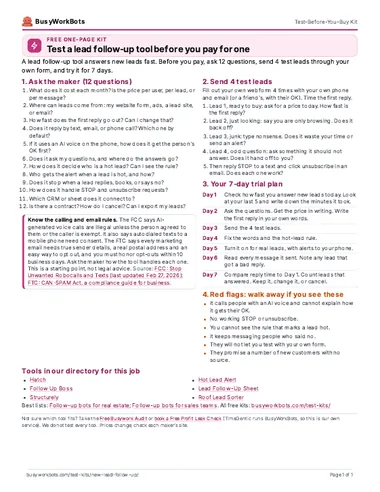
Take it with you (PDF)
The same kit on one page. Free. No email needed.
1. Ask the maker: 12 questions
Send these to two or three makers. Ask for the answers in writing. They are neutral: they do not name any tool.
- What does it cost each month? Is the price per user, per lead, or per message?
- Where can leads come from: my website form, ads, a lead site, or email?
- How fast does the first reply go out? Can I change that?
- Does it reply by text, email, or phone call? Which one by default?
- If it uses an AI voice on the phone, how does it get the person's OK first?
- Does it ask my questions, and where do the answers go?
- How does it decide who is a hot lead? Can I see the rule?
- Who gets the alert when a lead is hot, and how?
- Does it stop when a lead replies, books, or says no?
- How does it handle STOP and unsubscribe requests?
- Which CRM or sheet does it connect to?
- Is there a contract? How do I cancel? Can I export my leads?
2. Send 4 test leads
Fill out your own web form 4 times with your own phone and email (or a friend's, with their OK). Time the first reply.
- Lead 1, ready to buy: ask for a price today. How fast is the first reply?
- Lead 2, just looking: say you are only browsing. Does it back off?
- Lead 3, junk: type nonsense. Does it waste your time or send an alert?
- Lead 4, odd question: ask something it should not answer. Does it hand off to you?
- Then reply STOP to a text and click unsubscribe in an email. Does each one work?
3. Your 7-day trial plan
- Day 1Check how fast you answer new leads today. Look at your last 5 and write down the minutes it took.
- Day 2Ask the questions. Get the price in writing. Write the first reply in your own words.
- Day 3Send the 4 test leads.
- Day 4Fix the words and the hot-lead rule.
- Day 5Turn it on for real leads, with alerts to your phone.
- Day 6Read every message it sent. Note any lead that got a bad reply.
- Day 7Compare reply time to Day 1. Count leads that answered. Keep it, change it, or cancel.
4. Red flags: walk away if you see these
- It calls people with an AI voice and cannot explain how it gets their OK.
- No working STOP or unsubscribe.
- You cannot see the rule that marks a lead hot.
- It keeps messaging people who said no.
- They will not let you test with your own form.
- They promise a number of new customers with no source.
Know the calling and email rules
The FCC says AI-generated voice calls are illegal unless the person agreed to them or the caller is exempt. It also says autodialed texts to a mobile phone need consent. The FTC says every marketing email needs true sender details, a real postal address and an easy way to opt out, and you must honor opt-outs within 10 business days. Ask the maker how the tool handles each one. This is a starting point, not legal advice.
Sources: FCC: Stop Unwanted Robocalls and Texts (last updated Feb 27, 2026) · FTC: CAN-SPAM Act, a compliance guide for business
Tools in our directory for this job
These are the listings that match this job. We do not test every tool, and the order is not a ranking. Prices and hours come from each listing and its source.
- Hours not stated
Hatch
AI texts, calls, and emails to follow up on leads and old quotes.
Price: Check siteSetup: EasySoftware or service
Source: usehatchapp.com/pricing
- Hours not stated
Follow Up Boss
Pulls all leads into one CRM and sets up auto follow-up texts and emails.
Price: From $69/user/moSetup: EasySoftware or service
Source: followupboss.com/pricing
- Hours not stated
Structurely
AI assistant that texts, emails, and calls leads to qualify them.
Price: Usage basedSetup: EasySoftware or service
Source: structurely.com/pricing
- ~20hours a week per repFrom the source
Hot Lead Alert
Scores each lead, makes a HubSpot deal, and alerts your team in Slack.
Price: n8n free to self-host (cloud from $20/mo); other apps extra; HubSpot extraSetup: Needs setupFree DIY template
Hours: About 20 hours a week per rep (from 22 hours a week down to 2.1; consultant case study)
- Hours not stated
Lead Follow-Up Sheet
Replies to new leads and follows up on days 2, 5, and 10, with no CRM needed.
Price: Google Sheets is free with a personal Google account; Google Workspace Business Starter (business email + Sheets) is $7/user/moSetup: MediumFree DIY template
- Hours not stated
Roof Lead Sorter
Replies fast to each new lead, rates it hot, warm, or cold, and books hot ones.
Price: n8n free to self-host (cloud from $20/mo); other apps extraSetup: Needs setupFree DIY template
- Hours not stated
Yelp Smart Lead Reply
Answers Yelp quote requests right away, asks your questions, shares your link.
Price: $30/moSetup: EasySoftware or service
Source: ppc.land
- 10hours a weekFrom the source
Lead Sorter and Router
Sorts email and form leads by budget, logs them, and flags only the big ones.
Price: n8n free to self-host (cloud from $20/mo); other apps extraSetup: Needs setupFree DIY template
Hours: 10 hours per week
Source: reddit.com
- Hours not stated
Reply Sorter + Lead Router
Sorts sales email replies, posts the interested ones in Slack and your CRM, and hands them to reps in turn.
Price: Check siteSetup: Needs setupFree DIY template
Our lists for this job
Want one small story a week?
Optional. One real story a week of a business that saved time with AI. You do not need it to use the kit.
Optional. The download works without this. 1 email a week. Unsubscribe in 1 click. Privacy
Want help picking or setting up?
Take the Free Busywork Audit (free, no email needed), or Book a Free Profit Leak Check with TimeGentic. TimeGentic LLC runs BusyWorkBots, so this is our own service.