
Short answer: An AI phone-ordering tool takes food orders by phone. Before you pay, ask 12 questions, place 7 test orders, and try it during a slow shift for 7 days.
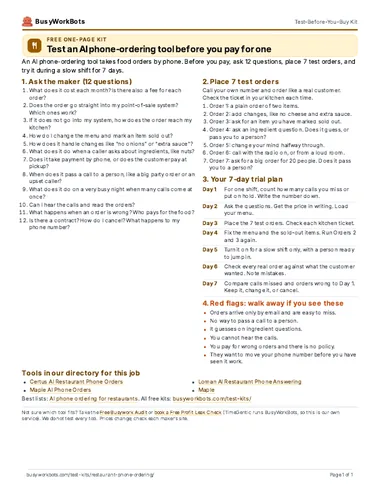
Take it with you (PDF)
The same kit on one page. Free. No email needed.
1. Ask the maker: 12 questions
Send these to two or three makers. Ask for the answers in writing. They are neutral: they do not name any tool.
- What does it cost each month? Is there also a fee for each order?
- Does the order go straight into my point-of-sale system? Which ones work?
- If it does not go into my system, how does the order reach my kitchen?
- How do I change the menu and mark an item sold out?
- How does it handle changes like “no onions” or “extra sauce”?
- What does it do when a caller asks about ingredients, like nuts?
- Does it take payment by phone, or does the customer pay at pickup?
- When does it pass a call to a person, like a big party order or an upset caller?
- What does it do on a very busy night when many calls come at once?
- Can I hear the calls and read the orders?
- What happens when an order is wrong? Who pays for the food?
- Is there a contract? How do I cancel? What happens to my phone number?
2. Place 7 test orders
Call your own number and order like a real customer. Check the ticket in your kitchen each time.
- Order 1: a plain order of two items.
- Order 2: add changes, like no cheese and extra sauce.
- Order 3: ask for an item you have marked sold out.
- Order 4: ask an ingredient question. Does it guess, or pass you to a person?
- Order 5: change your mind halfway through.
- Order 6: call with the radio on, or from a loud room.
- Order 7: ask for a big order for 20 people. Does it pass you to a person?
3. Your 7-day trial plan
- Day 1For one shift, count how many calls you miss or put on hold. Write the number down.
- Day 2Ask the questions. Get the price in writing. Load your menu.
- Day 3Place the 7 test orders. Check each kitchen ticket.
- Day 4Fix the menu and the sold-out items. Run Orders 2 and 3 again.
- Day 5Turn it on for a slow shift only, with a person ready to jump in.
- Day 6Check every real order against what the customer wanted. Note mistakes.
- Day 7Compare calls missed and orders wrong to Day 1. Keep it, change it, or cancel.
4. Red flags: walk away if you see these
- Orders arrive only by email and are easy to miss.
- No way to pass a call to a person.
- It guesses on ingredient questions.
- You cannot hear the calls.
- You pay for wrong orders and there is no policy.
- They want to move your phone number before you have seen it work.
Tools in our directory for this job
These are the listings that match this job. We do not test every tool, and the order is not a ranking. Prices and hours come from each listing and its source.
- Hours not stated
Certus AI Restaurant Phone Orders
Answers every call, even when your whole team is busy. Takes the order from your menu. Sends the order to your POS and kitchen, like a counter order.
Price: Check siteSetup: EasySoftware or service
Source: certus-ai.com
- ~21hours a weekFrom the source
Maple AI Phone Orders
Answers every call and takes the full order, toppings and all. Sends the order into Toast or Clover so it prints in the kitchen. Takes payment before pickup and answers 'what's the wait?'.
Price: Maple Voice $85/mo yearly ($150 monthly, answering and FAQs only); Maple Pro $220/mo yearly ($350 monthly, adds ordering). Check siteSetup: EasySoftware or service
Hours: About 21 hours per week (Mootz Pizzeria + Bar, Detroit; Maple customer story)
- Hours not stated
Loman AI Restaurant Phone Answering
Answers every call, even before you open. Takes phone orders so staff can stay with guests. Shows call volume so you can plan store hours.
Price: Check siteSetup: EasySoftware or service
- 12hours a weekMaker’s claim
Maple
Answers phone calls and takes pickup, delivery and call-ahead orders, then sends them into the shop's register (Clover).
Price: Maple Pro $350/moSetup: EasySoftware or service
Hours: 12 hours per week (vendor case study) (maker's claim)
Our lists for this job
Want one small story a week?
Optional. One real story a week of a business that saved time with AI. You do not need it to use the kit.
Optional. The download works without this. 1 email a week. Unsubscribe in 1 click. Privacy
Want help picking or setting up?
Take the Free Busywork Audit (free, no email needed), or Book a Free Profit Leak Check with TimeGentic. TimeGentic LLC runs BusyWorkBots, so this is our own service.